Download Band Way
An alpha build for invited testers. It is not signed by Apple yet, so the very first launch on macOS needs one extra step — the three below.
Other platforms
First launch on macOS
macOS blocks the first launch, and its highlighted button deletes the app
Band Way is not notarised by Apple yet, so Gatekeeper refuses to open it the first time. Nothing is wrong with the build. In two of the dialogs below the highlighted button is Move to Bin — pressing Return there throws Band Way away. You clear all of this once per install.
-
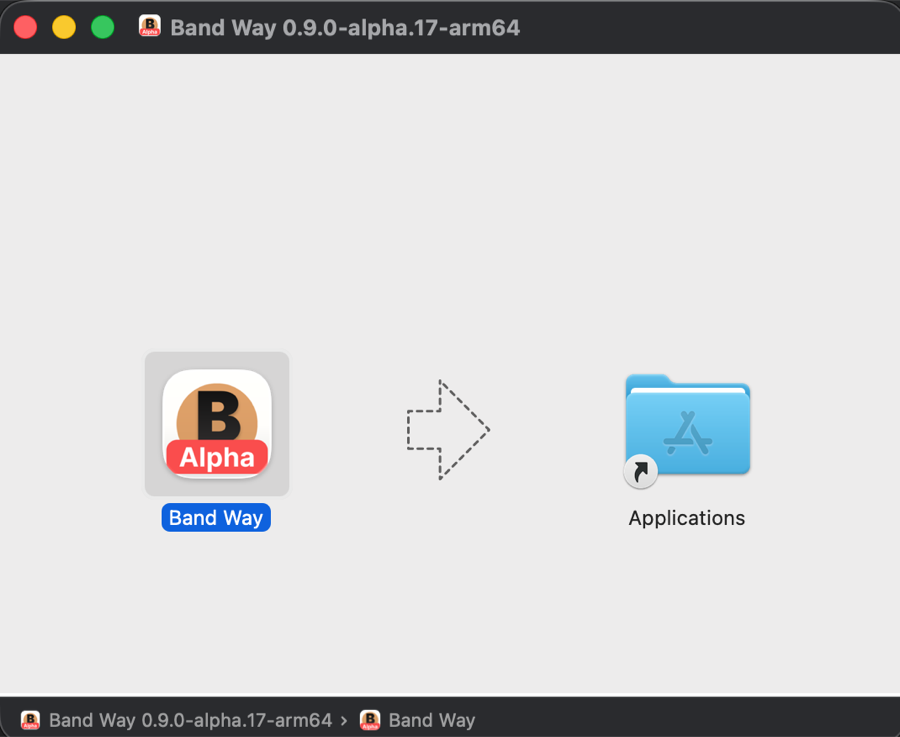 Drag it into Applications
Open the downloaded .dmg and drag Band Way onto the Applications folder.
-
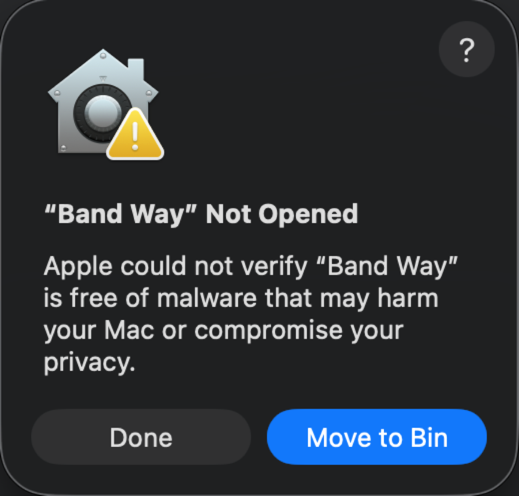 The first launch is refused
Launch Band Way. macOS answers “Band Way” Not Opened — Apple could not verify it is free of malware. Press Done.
Move to Bin is the highlighted button. It deletes Band Way.
-
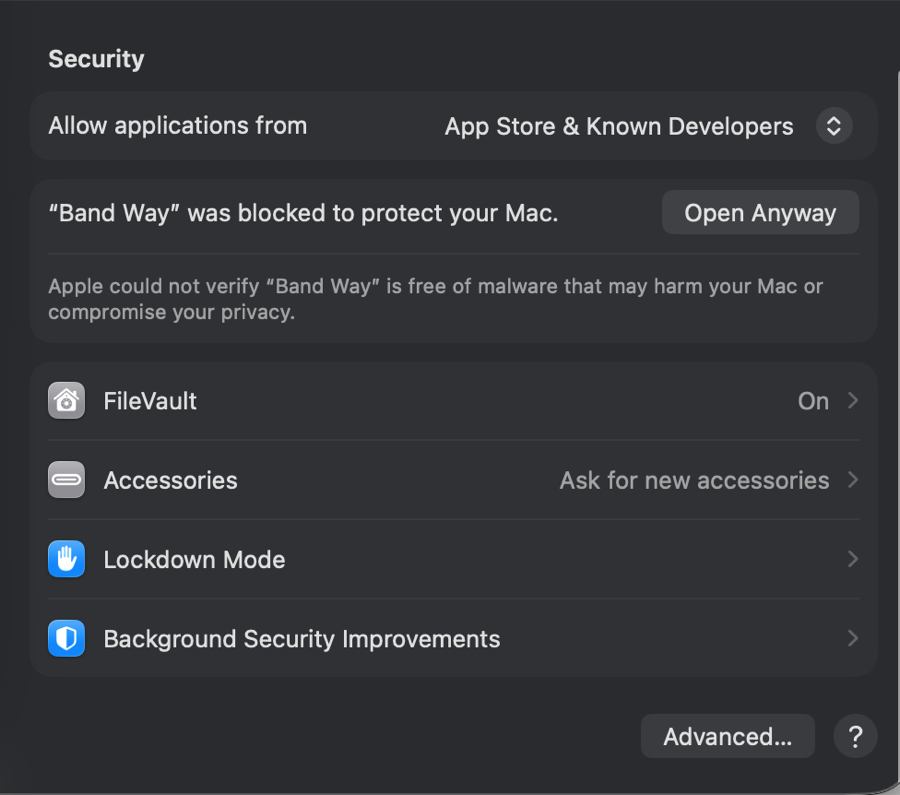 Allow it in System Settings
Open System Settings → Privacy & Security and scroll down to Security. Next to “Band Way” was blocked to protect your Mac, press Open Anyway.
-
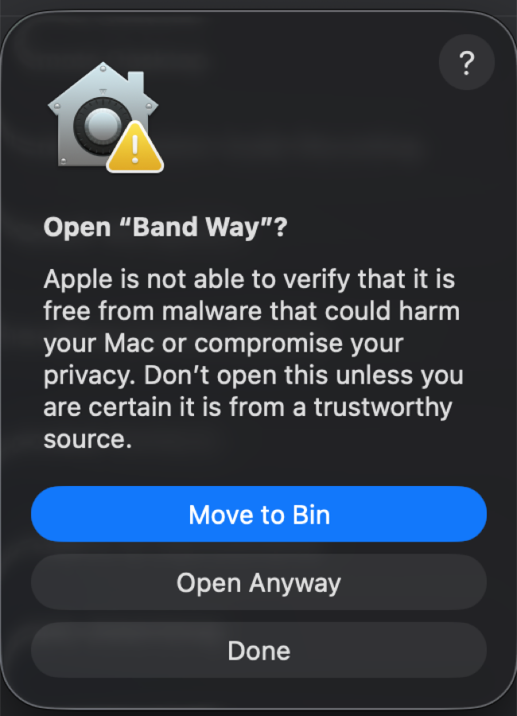 Confirm the override
macOS asks once more, Open “Band Way”? Press Open Anyway again and Band Way starts.
Move to Bin is the highlighted button here too.
-
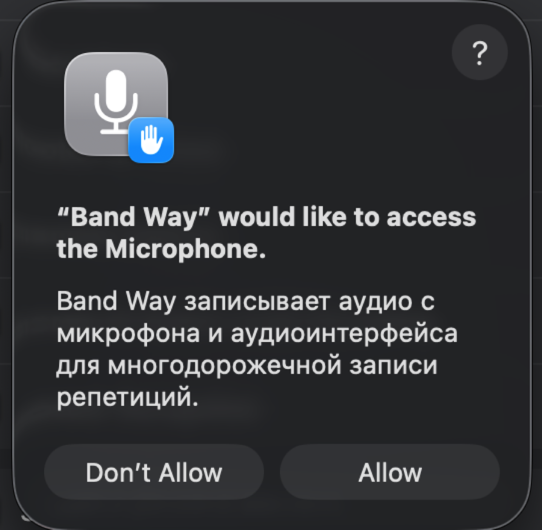 Allow the microphone
Band Way asks for microphone access. The same permission covers your audio interface — decline it and recording stays silent.
Gatekeeper blocks the first launch because the build carries an ad-hoc signature instead of an Apple notarisation. The old Control-click shortcut no longer works on recent macOS; System Settings is the way through. The same ad-hoc signature is why macOS asks for the microphone again after every update.
Previous versions
Only if you need to roll back. Sorted newest first by version number, and each entry lists only the platforms that build actually exists for.